

The RaceSelect platform
Everything your race weekend runs on, from the first entry to the final results
RaceSelect is more than a registration form. It is the system your registration desk, tech crew, scales, race control, and treasurer all work from, built by a team that races its own families every season.
- One record
- per racer, from first entry to final results
- Every role
- registration, tech, scales, scoring, stewards, and finance
- Gate to grid
- check-in, scanning, and weighing built in
- Season view
- insights across every event you run
Registration & entries
Registration that keeps up with how racing actually works
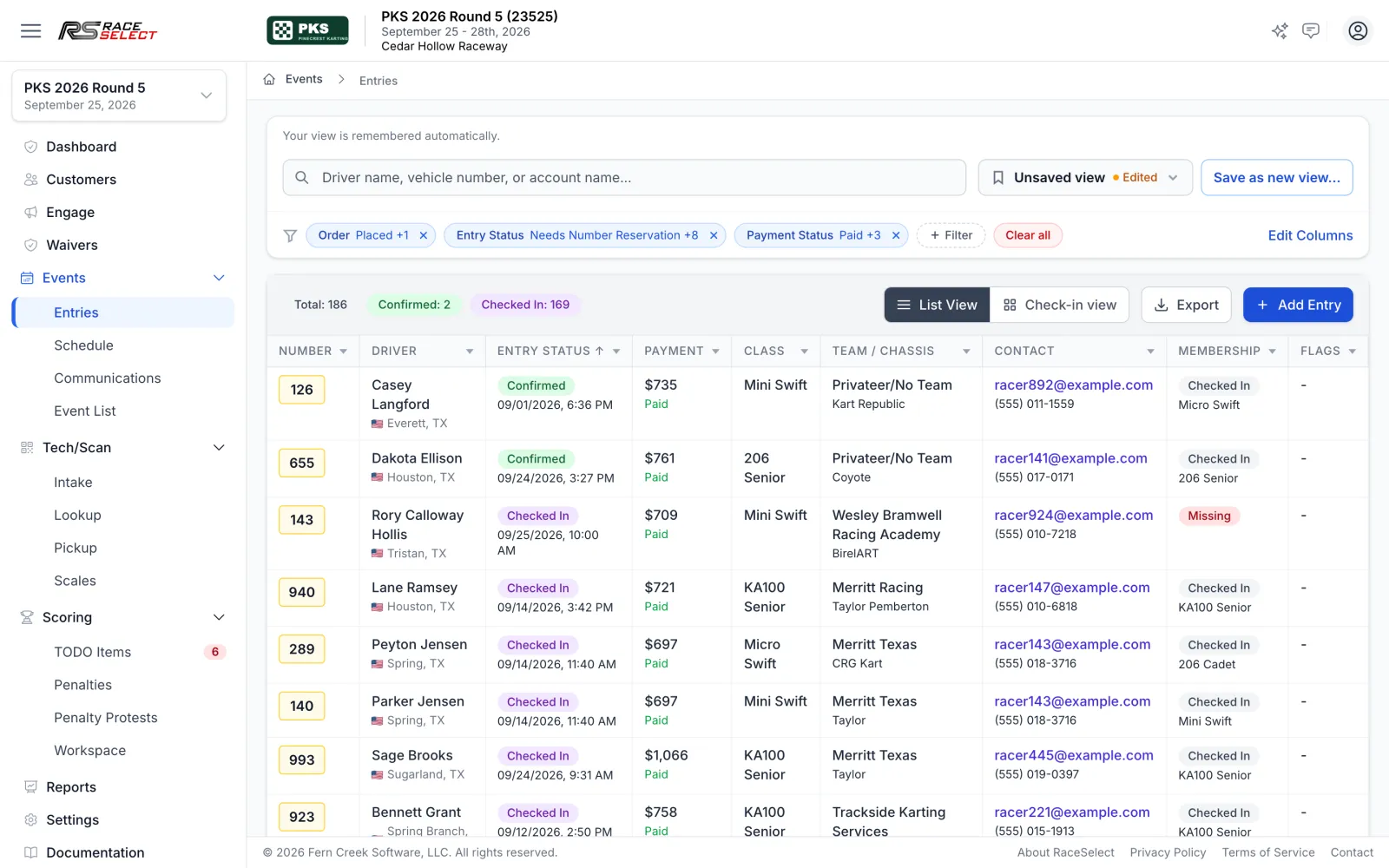
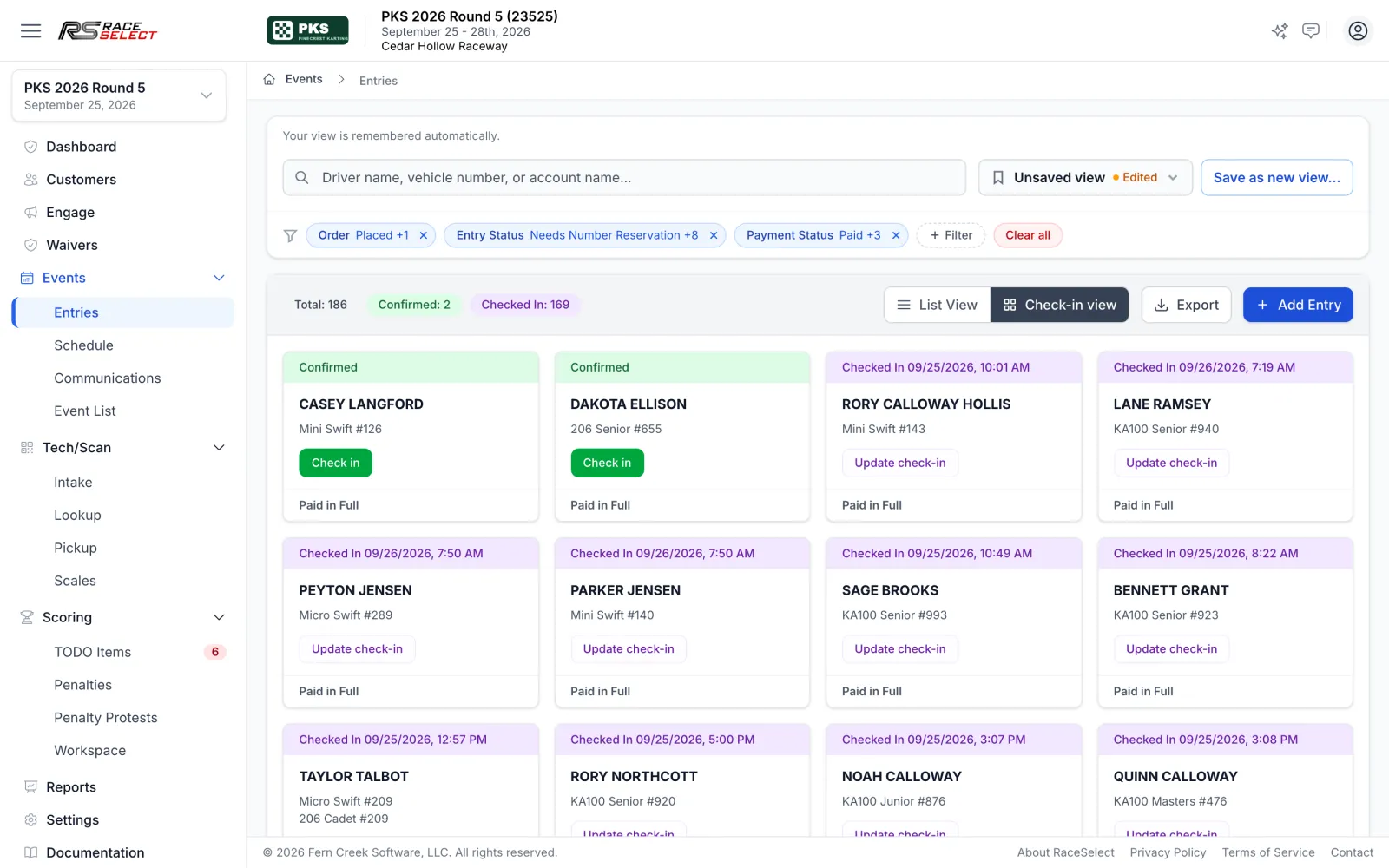
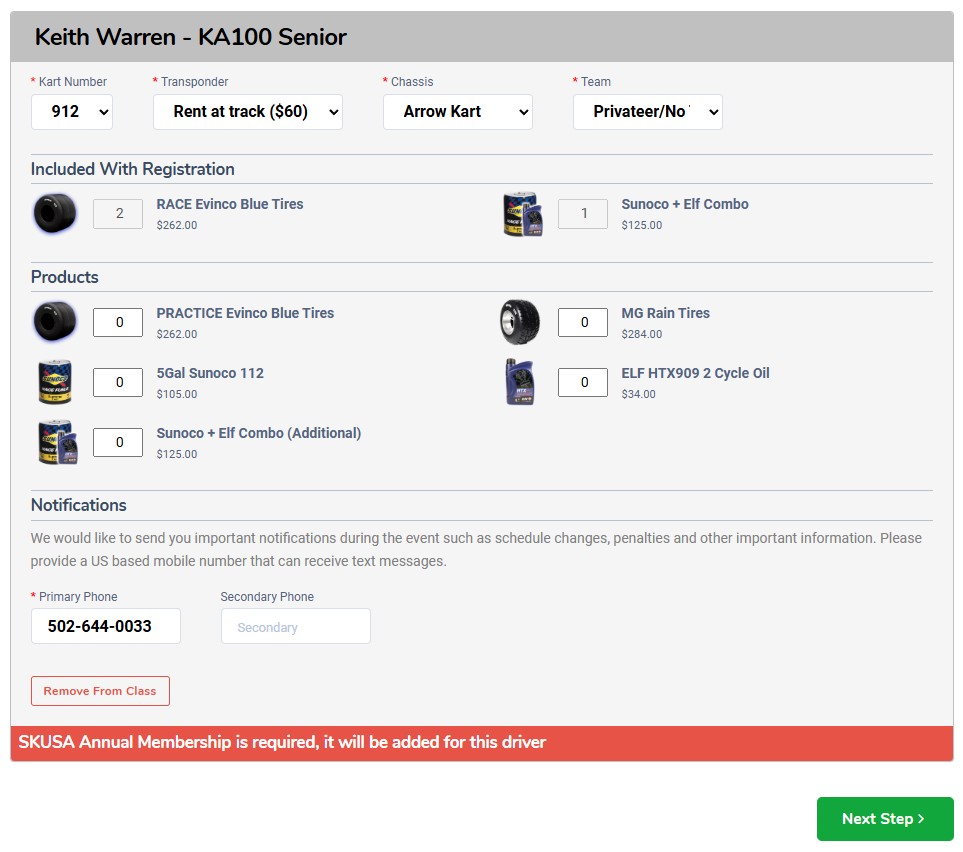
Entries, payments, and every last-minute change land in one operations hub. Your registration desk, your tech crew, and your finance person all work from the same live list instead of passing spreadsheets around.
-
Copy last year's event in one step
Classes, products, and the pit map come along, and registration, early-bird, and late-fee dates shift to the new start date.
-
Early-access registration waves
Open registration early to members, last season's entrants, or any customer group before general entry opens.
-
Deposits or pay at the event
Let racers secure a spot with a minimum deposit and settle the balance later, with partially paid entries easy to find and message.
-
Walk-up entries at the counter
Register a racer or sell wristbands and extras on site, and take card, cash, or point-of-sale payment in the same window.
-
Transfers between events
Move an entry to another event with a preview of class matching, capacity, and whether money is owed or left as credit, before anything changes.
-
Fair, controlled waitlists
Full classes queue racers at $0. Staff send timed offers with a live countdown, an active offer holds the spot, and an expired offer moves to the back of the line.
-
Required checkout agreements
Rules, refund policies, and series terms that racers must accept before they pay, set organization-wide or per event.
-
Saved views and Excel export
Choose columns, filters, and sort once, then return to that view at every event and export exactly those fields.
Classes, products & pricing
Price the weekend exactly the way you run it
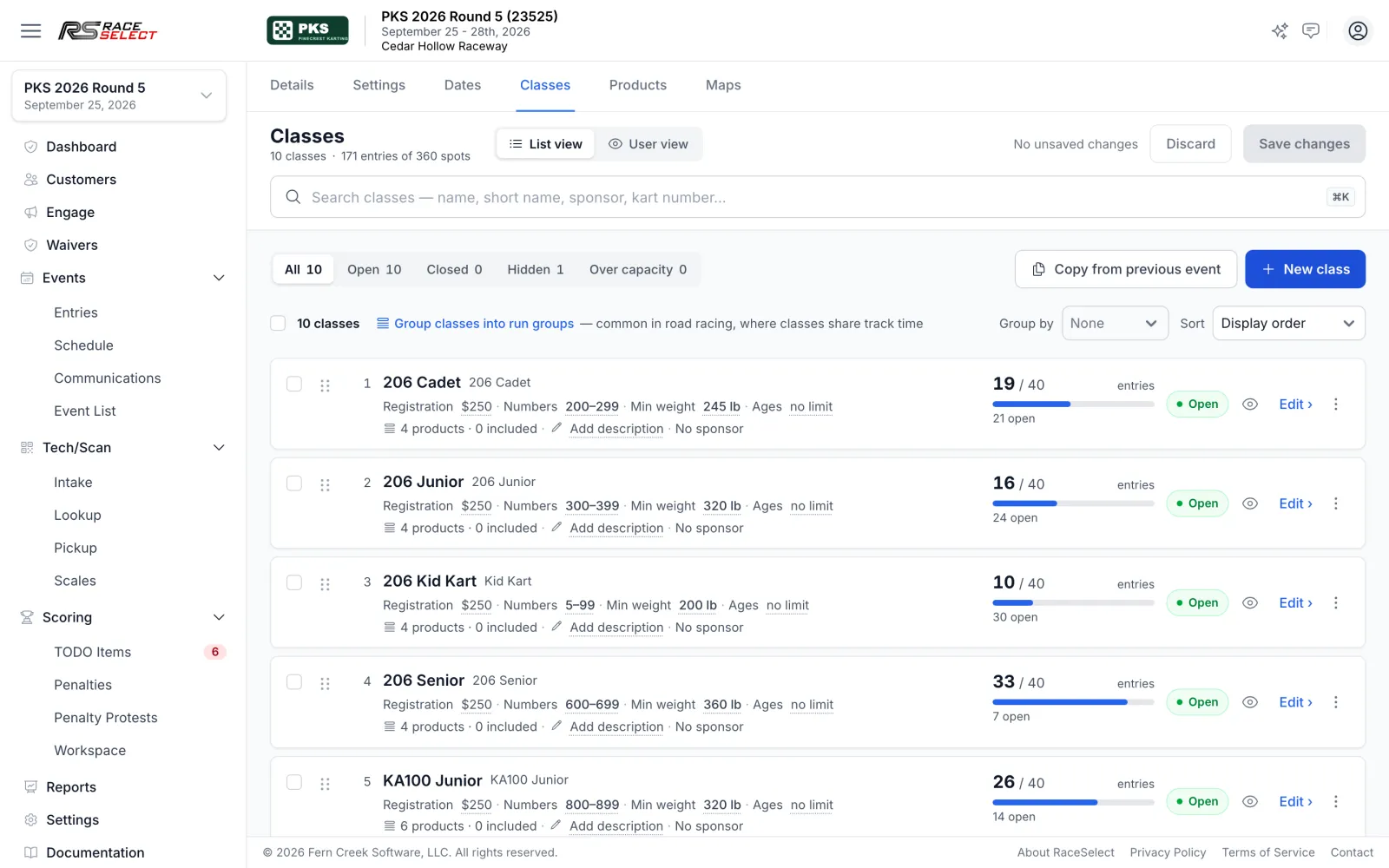
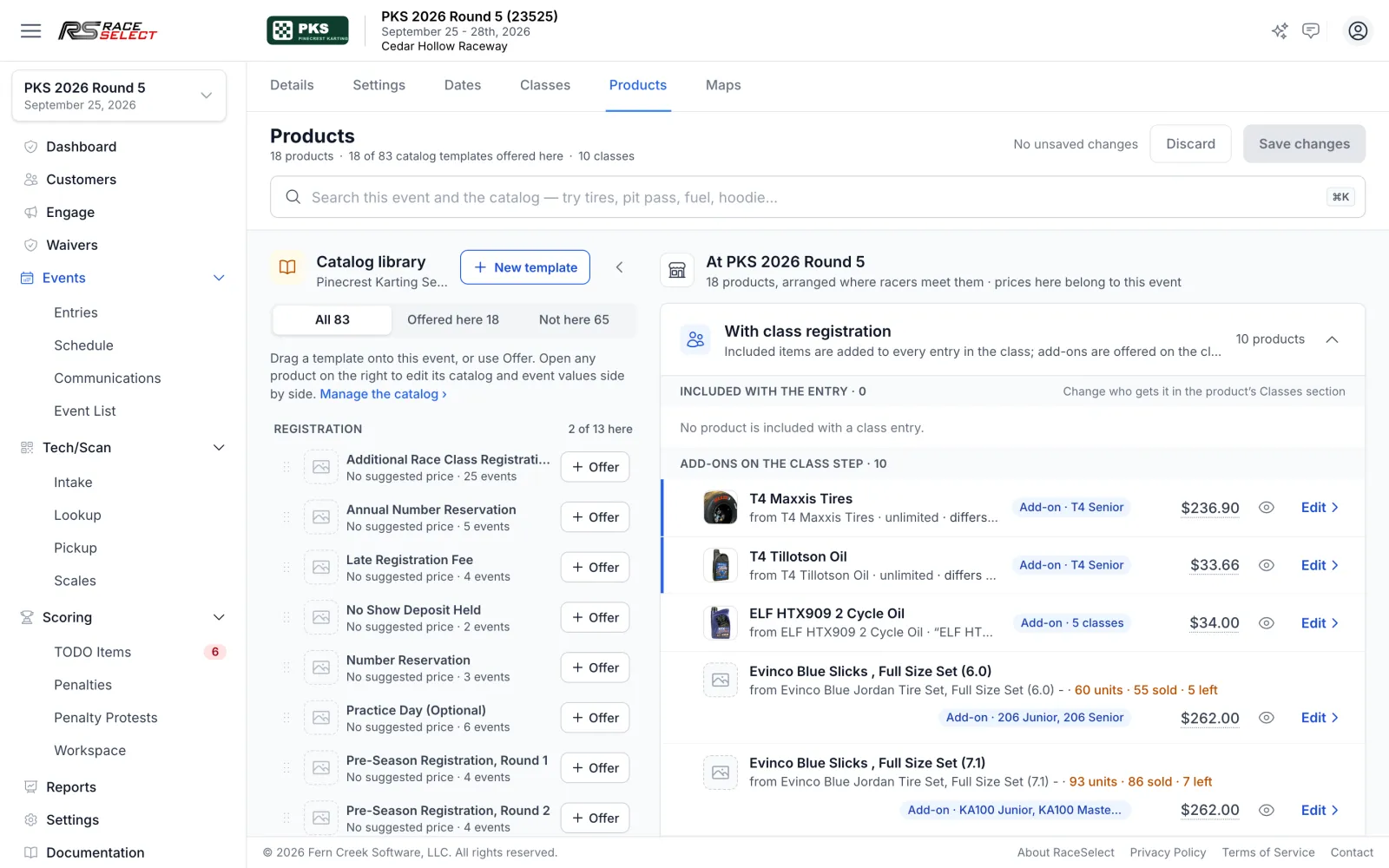
Set up each class once with its capacity, number range, minimum weight, and age rules. Then attach the tires, fuel, transponders, practice, and pit passes that go with it. Prices come from your catalog, with per-event overrides wherever you need them.
-
Class rules racers can't miss
Capacity, vehicle-number ranges, minimum weights, and hard age limits, with per-driver age waivers and weight adjustments that record who approved them.
-
Bundles built into each class
Included items, optional add-ons, pick-one choices such as a tire compound, and quantity minimums and maximums for each class.
-
Trigger pricing
Add an item free or discounted when another is chosen, such as a premium pit spot that includes electrical.
-
Member, minor, and multi-entry pricing
Separate member and under-18 prices, a lower price after a quantity threshold, and a cheaper entry for each additional racer on the same account.
-
Early bird and late fees, automatically
Discounts drop off and late fees start on the dates you set, with per-driver exemptions that record a reason and an approver.
-
Inventory that enforces itself
Cap tire sets, rentals, or merchandise by event or by variant, enforced at checkout and on walk-up sales.
-
Card fees passed through
Optionally show card processing as its own line before the racer pays.
-
Practice days and transponder rentals
Sell practice per racer, rent transponders from your own inventory, or let racers bring their own number.
Pit map & schedule
Lay out the paddock and the race day before anyone arrives
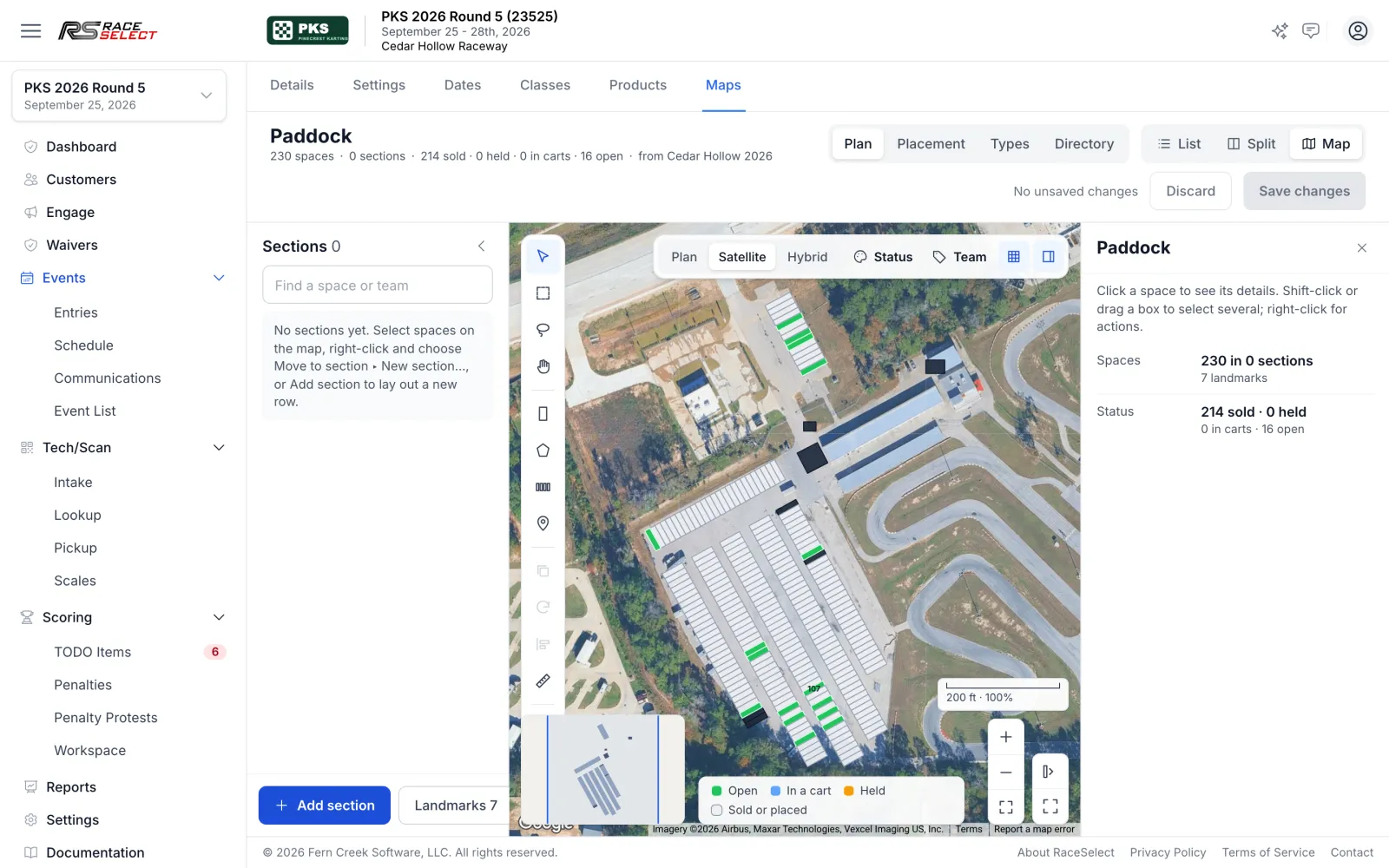
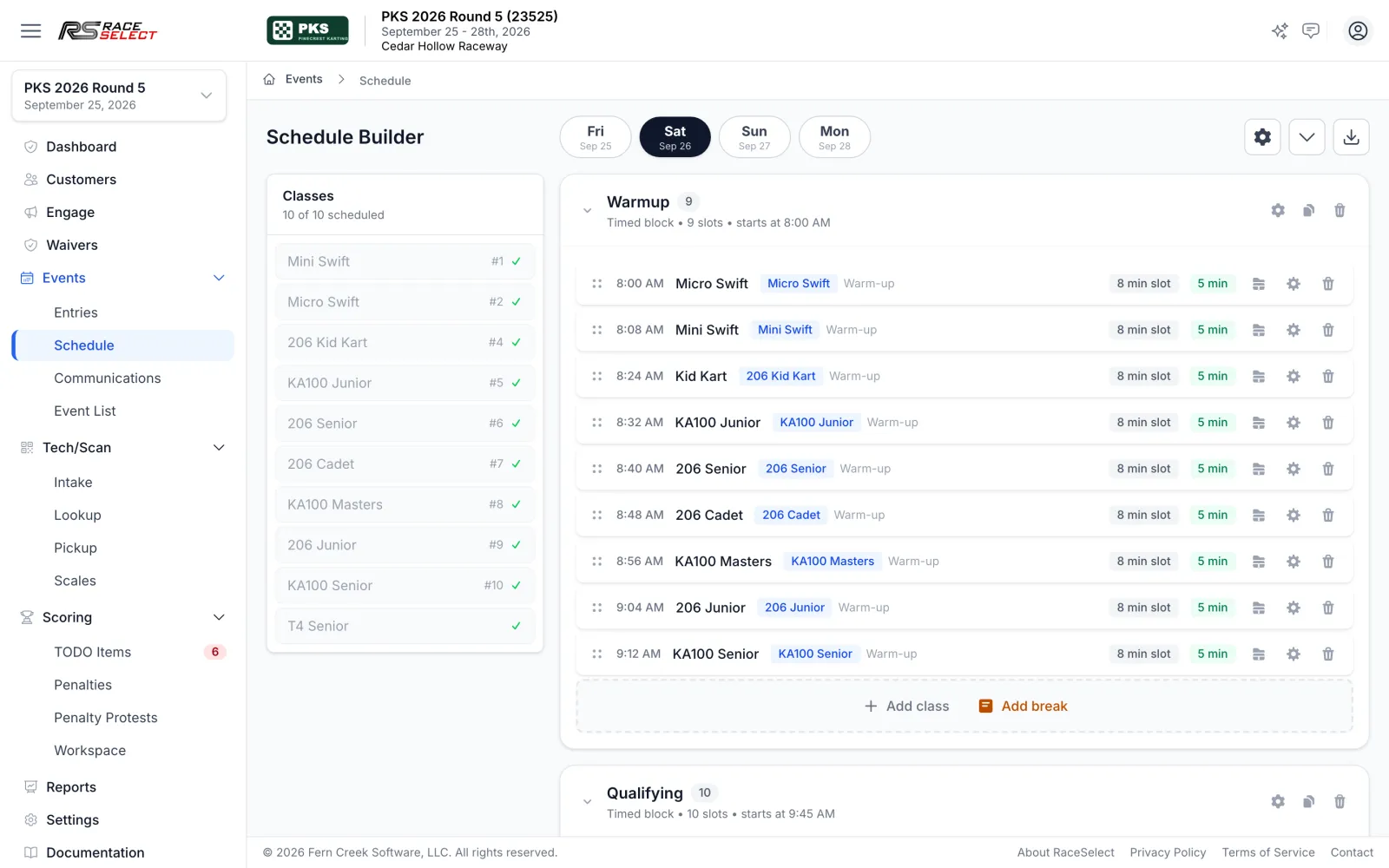
Draw your venue once and reuse it every event. Racers can buy and pick their own pit spot during registration while staff hold, assign, and print the map. The schedule builder turns your class list into a timed, day-by-day run sheet.
-
Reusable venue maps
Draw spaces and landmarks once, attach the map to any event, and price spots individually.
-
Racers choose their own spot
Pit spot selection during checkout, with staff holds and a per-account cap.
-
Printable paddock posters
Posters with an availability legend and a spot roster for the gate.
-
Schedules built from your classes
Drag classes into timed or ordered blocks, split classes into groups, and add breaks.
-
Templates and copying
Reuse a template, copy a day or a whole event's schedule, and export to PDF.
Race day operations
From the gate to the grid without the clipboard
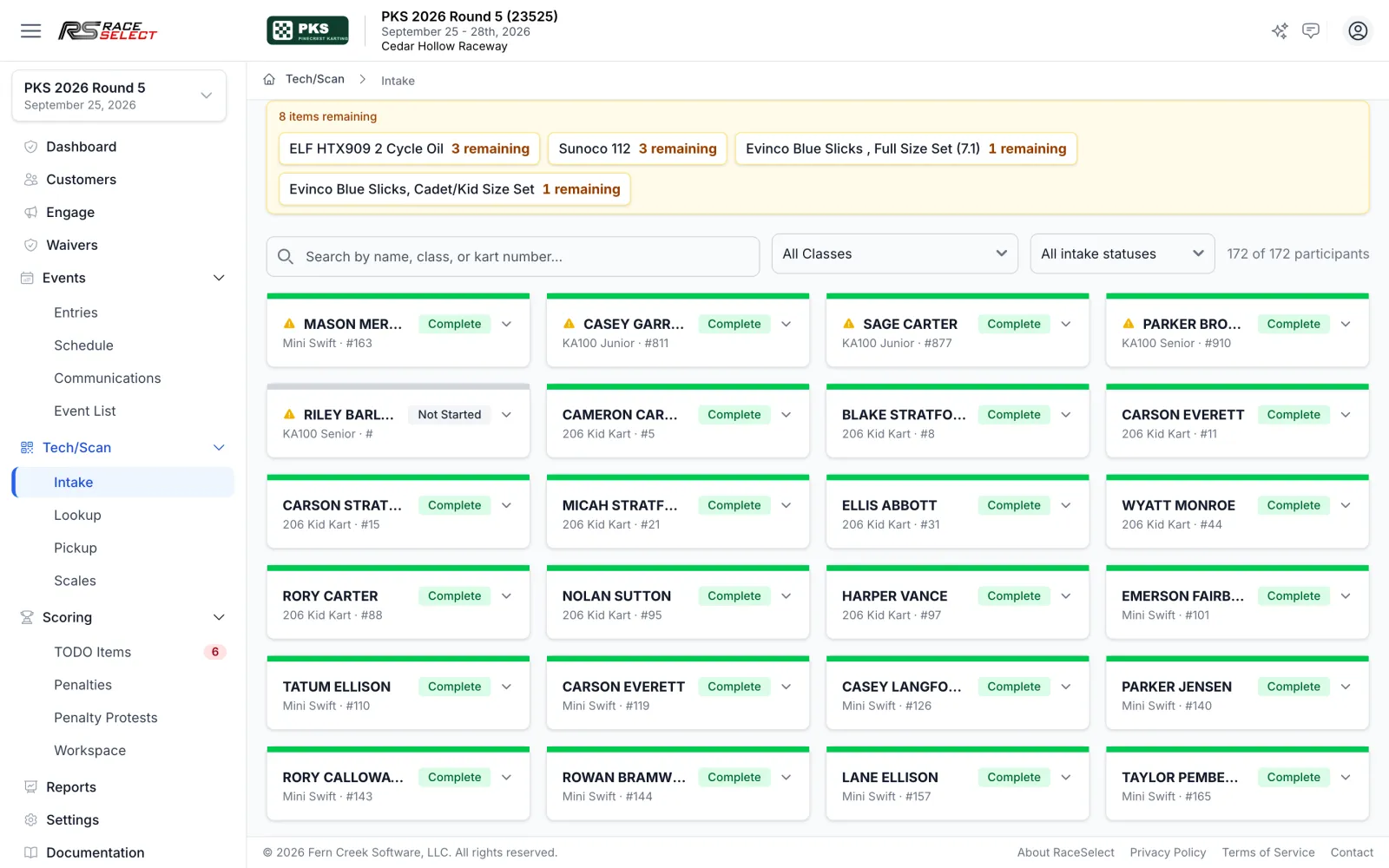
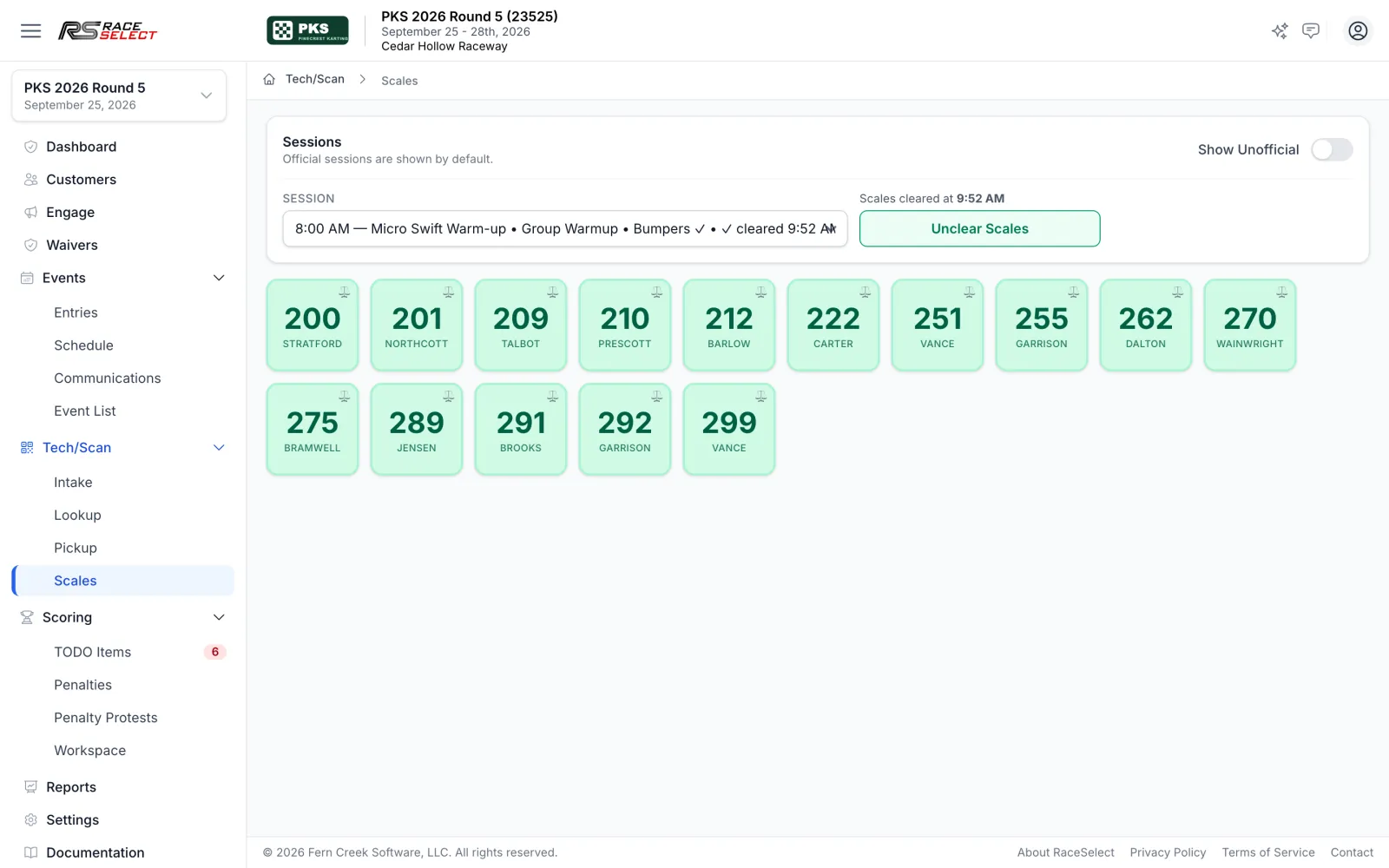
Every order generates its own check-in checklist. Tech scans tires and seals to each racer, and scales flags any driver under minimum weight as they cross. Every station works from the same entry records your registration desk created.
-
Check-in built from each order
Waiver, balance, transponder, product pickups, and your own yes/no questions appear for each racer, and required items block completion.
-
Tech scanning with duplicate protection
Scan tires, seals, and other assets to each racer, with reused items blocked by rules you configure.
-
Barcode lookup trackside
Scan a tire or seal at the grid to see whose it is, and capture rain tires or seal numbers on the spot.
-
Scales that write the penalties
Drivers under minimum weight get penalties automatically, and anyone who skipped the scales gets a Did Not Weigh penalty when the session clears.
-
Transponder assignment
Assign rentals in one click or in bulk, reuse one rental across classes, and catch invalid personal numbers at check-in.
-
Pickups and packet labels
Track handouts by who received them and when, and print packet labels from a drag-and-drop designer.
Waivers & compliance
Waivers and verification that keep themselves current
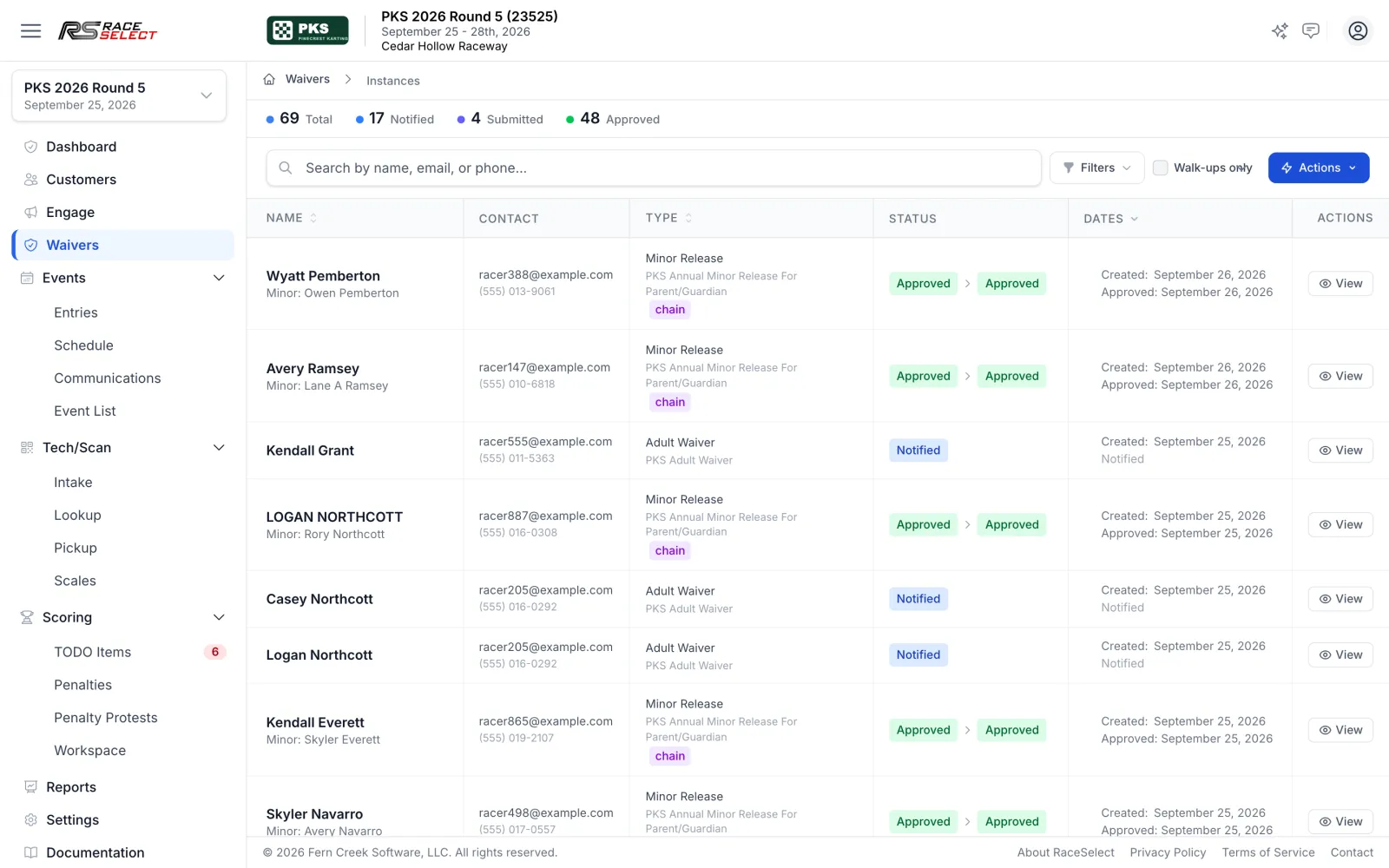
Waivers go out with registration, get chased with automatic reminders, and are reviewed in one portal. Minor releases stay linked to the adult who signed them.
-
Sanctioning-body or custom waivers
Use NKA, WKA, Stonebridge, or your own contracts, per event or annually, with optional selfie and drawn signature.
-
Walk-up waivers by QR code
Print a QR code for the gate so walk-ups sign on their own phones.
-
Bulk review and reminders
Step through submitted waivers one at a time, resend everything outstanding, and let automatic reminders do the chasing.
-
DOB and license verification
Review uploaded documents with full history. A rejection automatically sends the driver a re-upload link.
Scoring & stewarding
Results, points, and penalties handled by the same system that registered the field
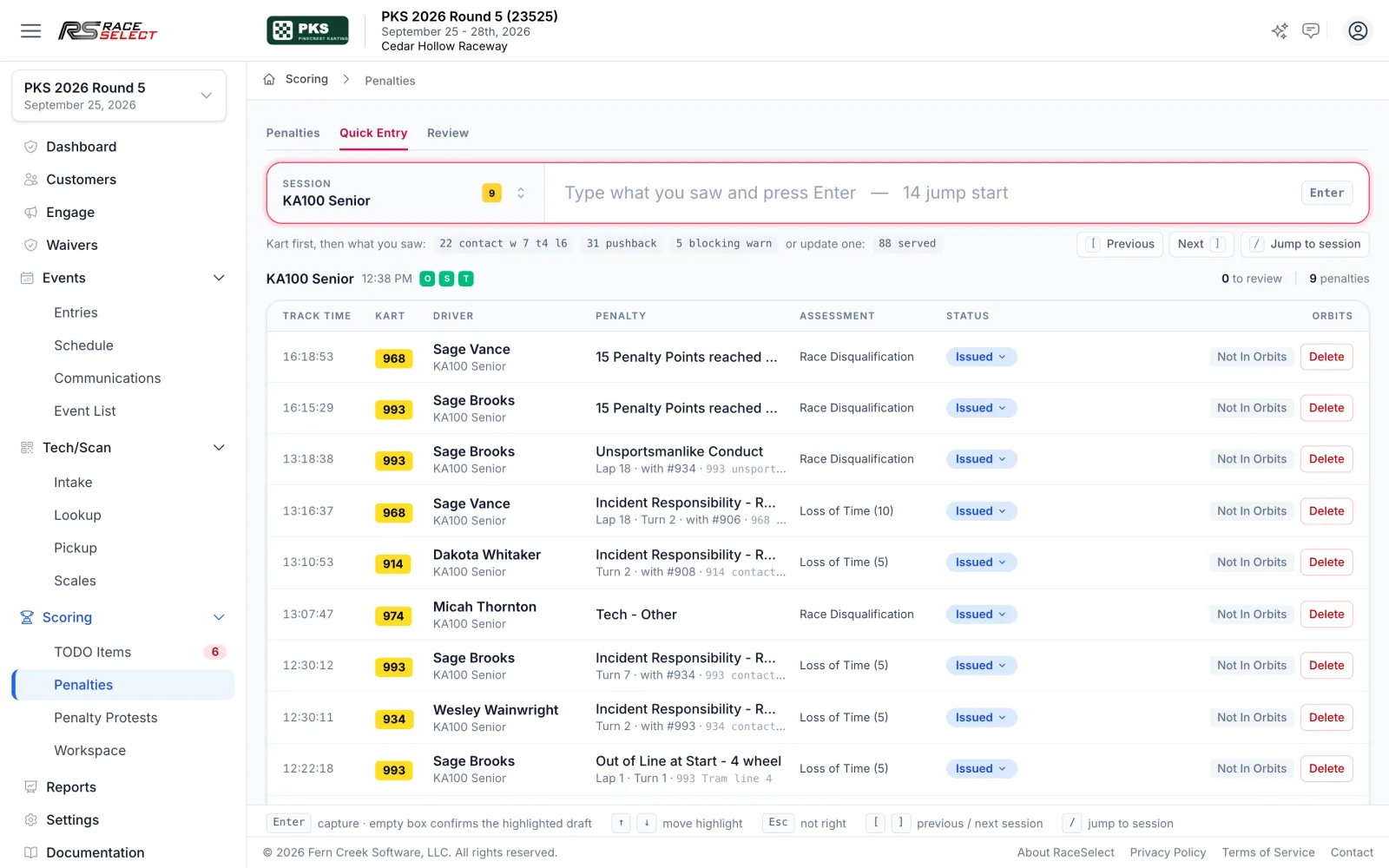
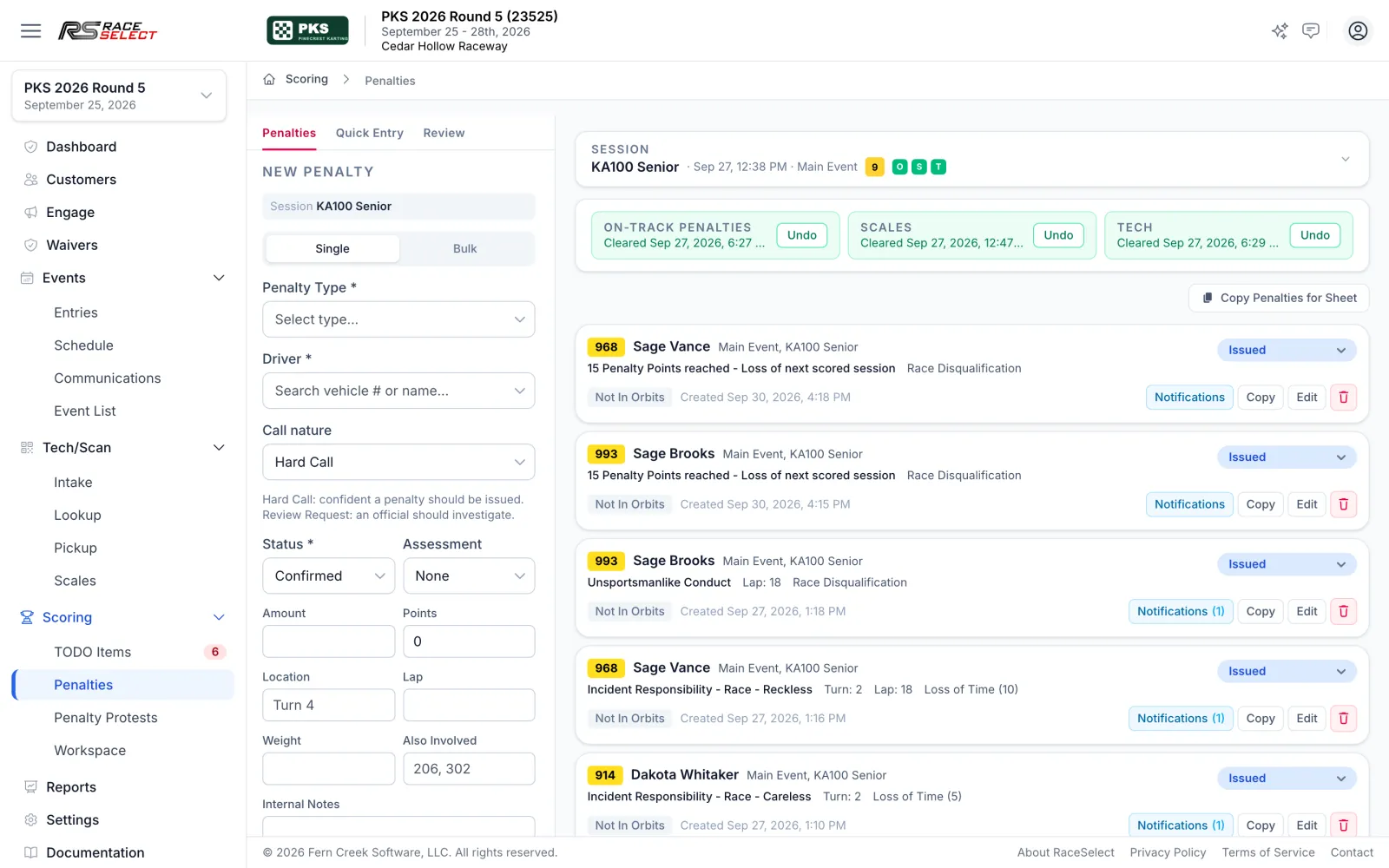
Because the entry list, numbers, and classes are already in RaceSelect, scoring starts from accurate data. Race control can log a call as fast as they can type it, and every penalty is tracked from the incident to the driver notification.
-
Drop in official results
Drop the results CSVs from timing. RaceSelect matches each file to its session, and nothing publishes until you confirm it.
-
Heat points and starting grids
Race formats compute heat points and grids, including heat groups, last-chance qualifiers, and direct transfers.
-
Championships and series points
Points scenarios with DNF, DNS, and DSQ rules, fastest-lap and entry-count bonuses, drop rounds, and live standings.
-
Shorthand that turns into penalties
Quick Entry reads race-control shorthand, learns your organization's terms, and never sends driver names to the reader.
-
Video review queue
Hold calls for review, let several reviewers work a shared queue with claim locking, and require a reviewer note on every decision.
-
Driver notifications and protests
Penalty texts on your timing, electronic protests with steward review, and a public penalty board with a QR code.
-
Audited corrections
Manual result changes require a reason and stay visible in a recent-overrides panel.
Racer communication
Reach exactly the racers who need to hear it
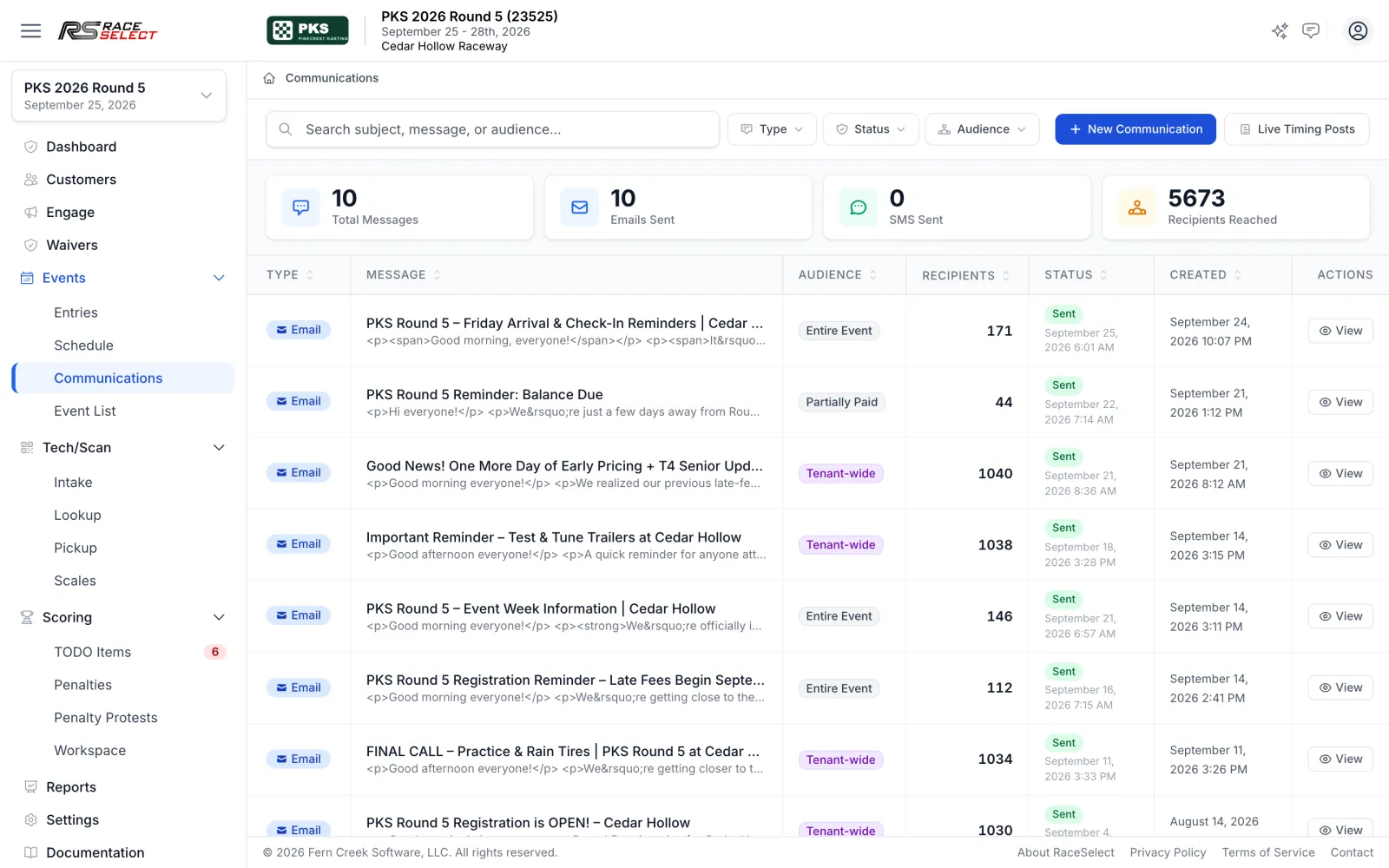
Send email or text to the whole event, one class, abandoned carts, or anyone with a balance due, now or on a schedule. Every message is logged with its audience and reach.
-
Targeted audiences
Everyone entered, a single class, partially paid racers, abandoned carts, every customer, or a saved Insights segment.
-
Scheduled sends
Write the Friday arrival note on Tuesday and send it in the event's time zone, editable until it goes.
-
Text messages that respect the clock
International numbers, SMS quiet hours, and penalty texts that still go through when they matter.
-
Payment and registration links
Merge tokens drop each racer's own payment link or registration link into the message.
-
One-off texts from the entry list
Text a single racer straight from their row on the Entries page.
-
Checkout surveys
Ask single-choice or ranked questions at checkout and see where classes disagree.
Season insights
Know your series as well as you know your track
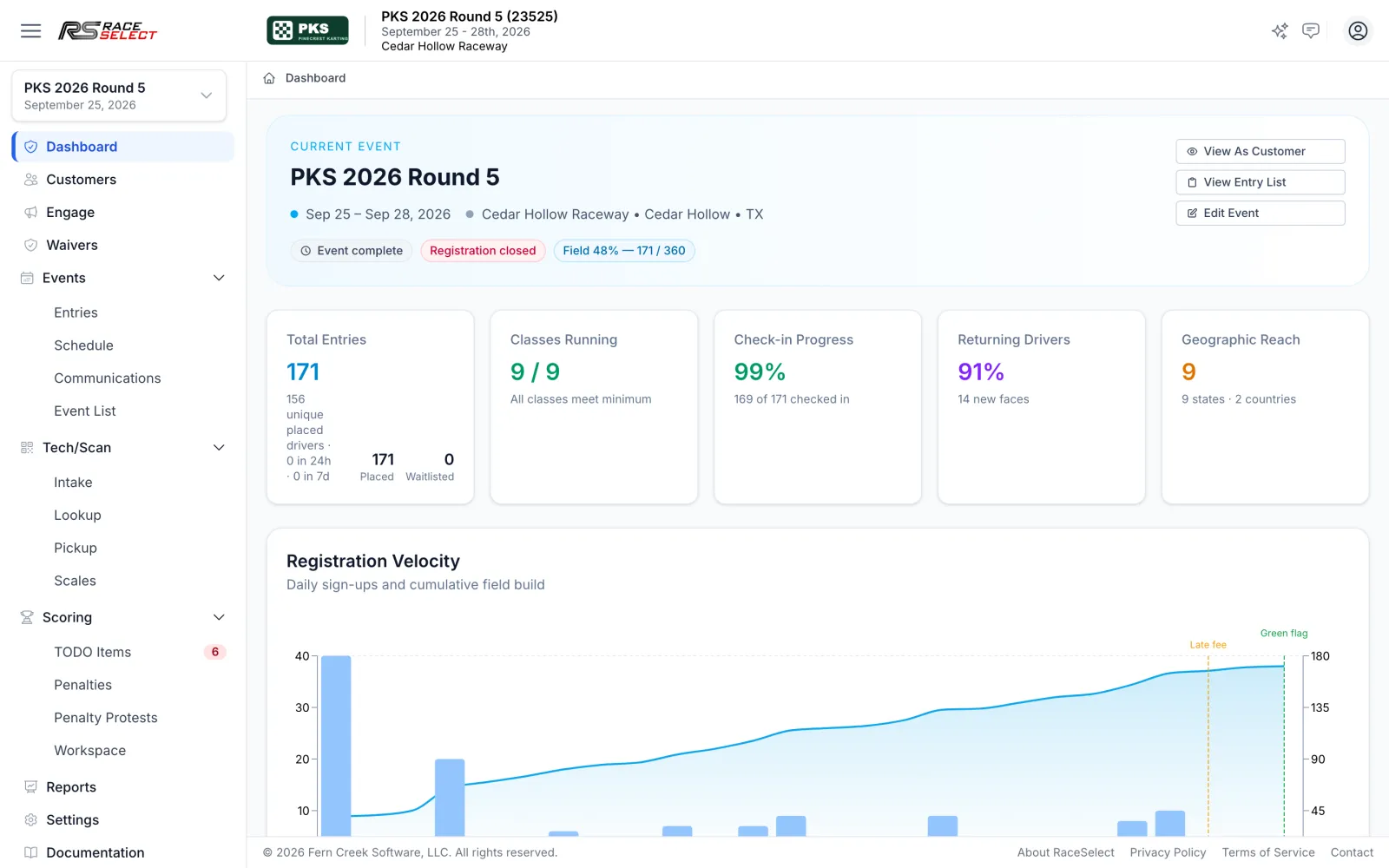
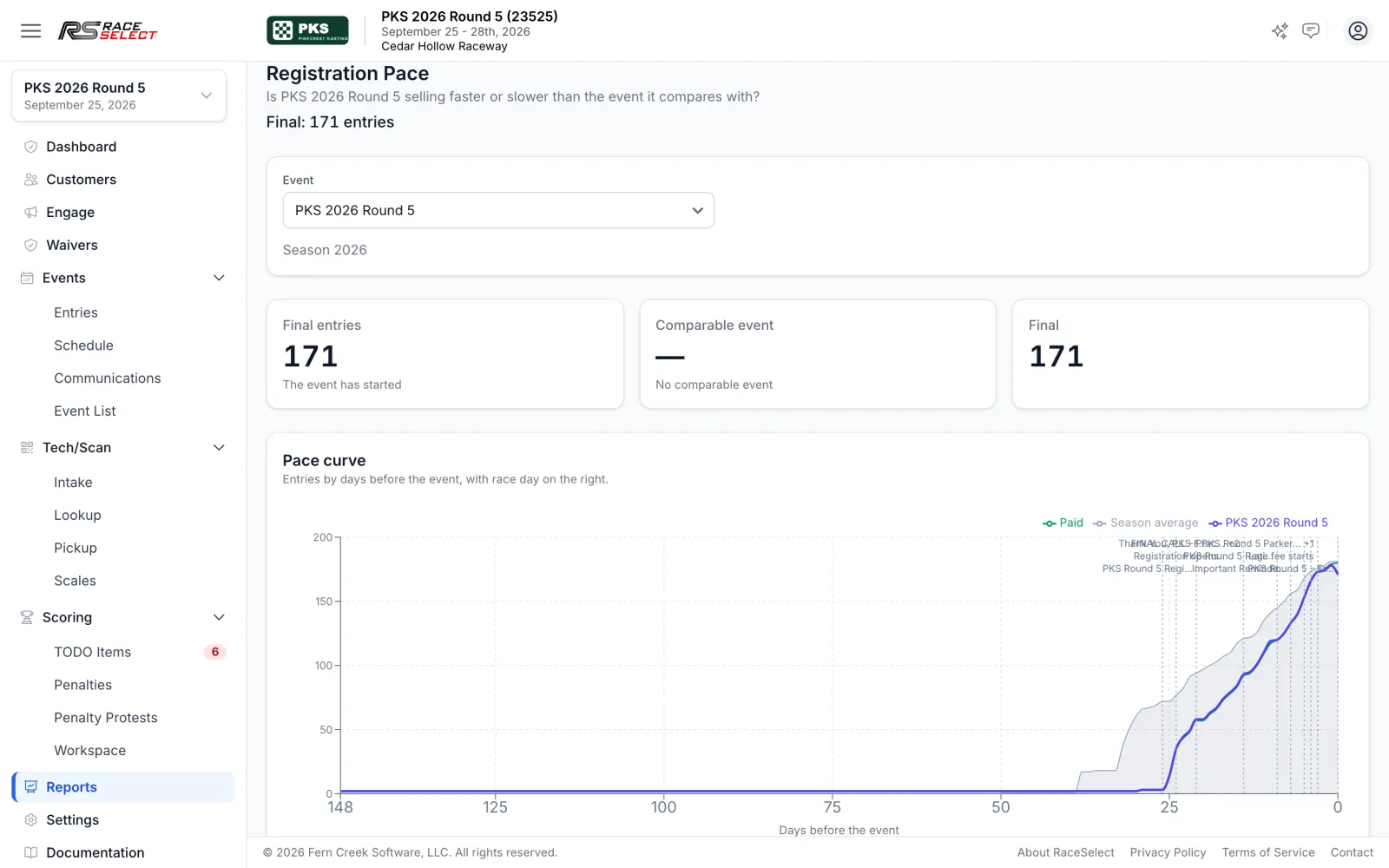
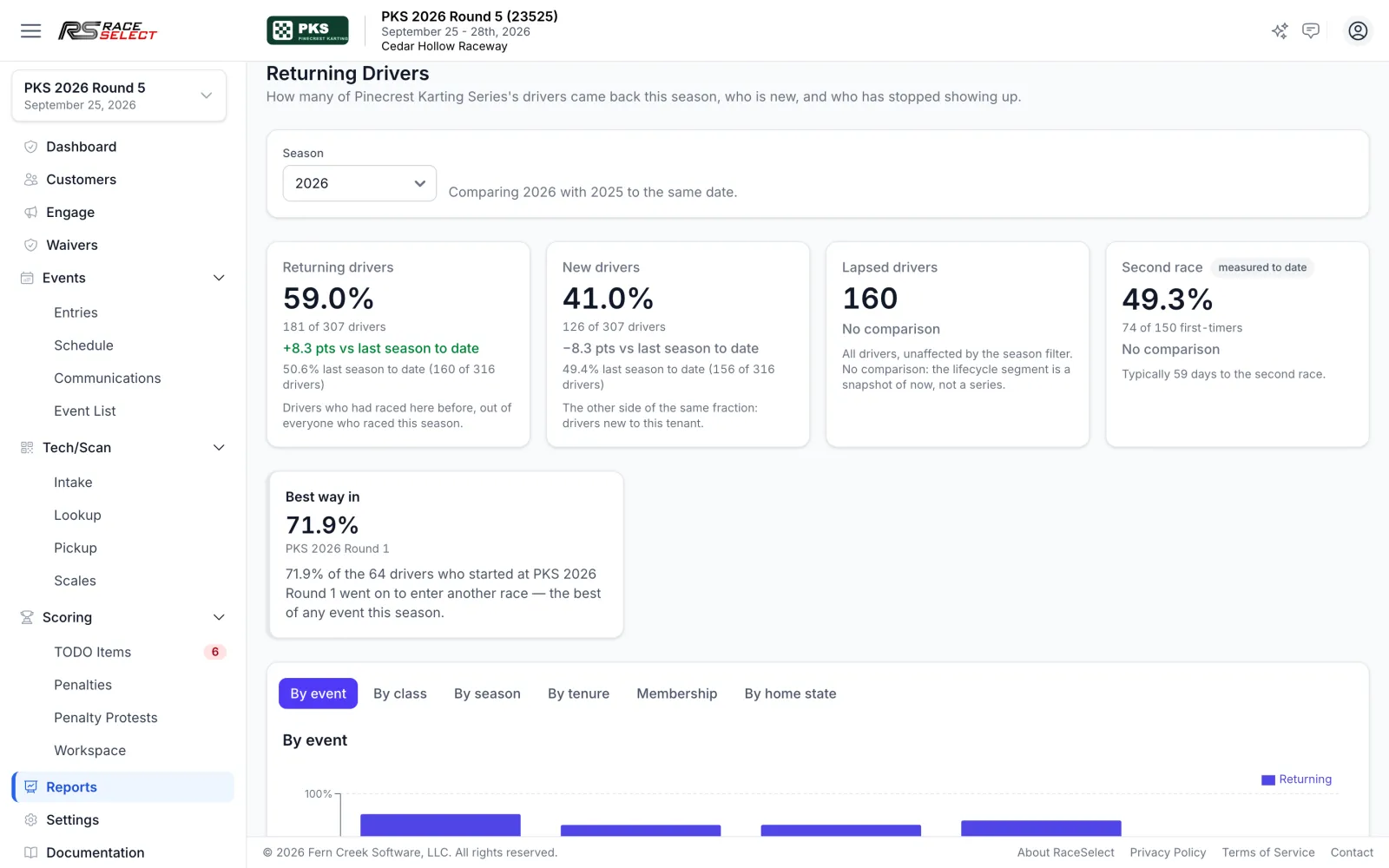
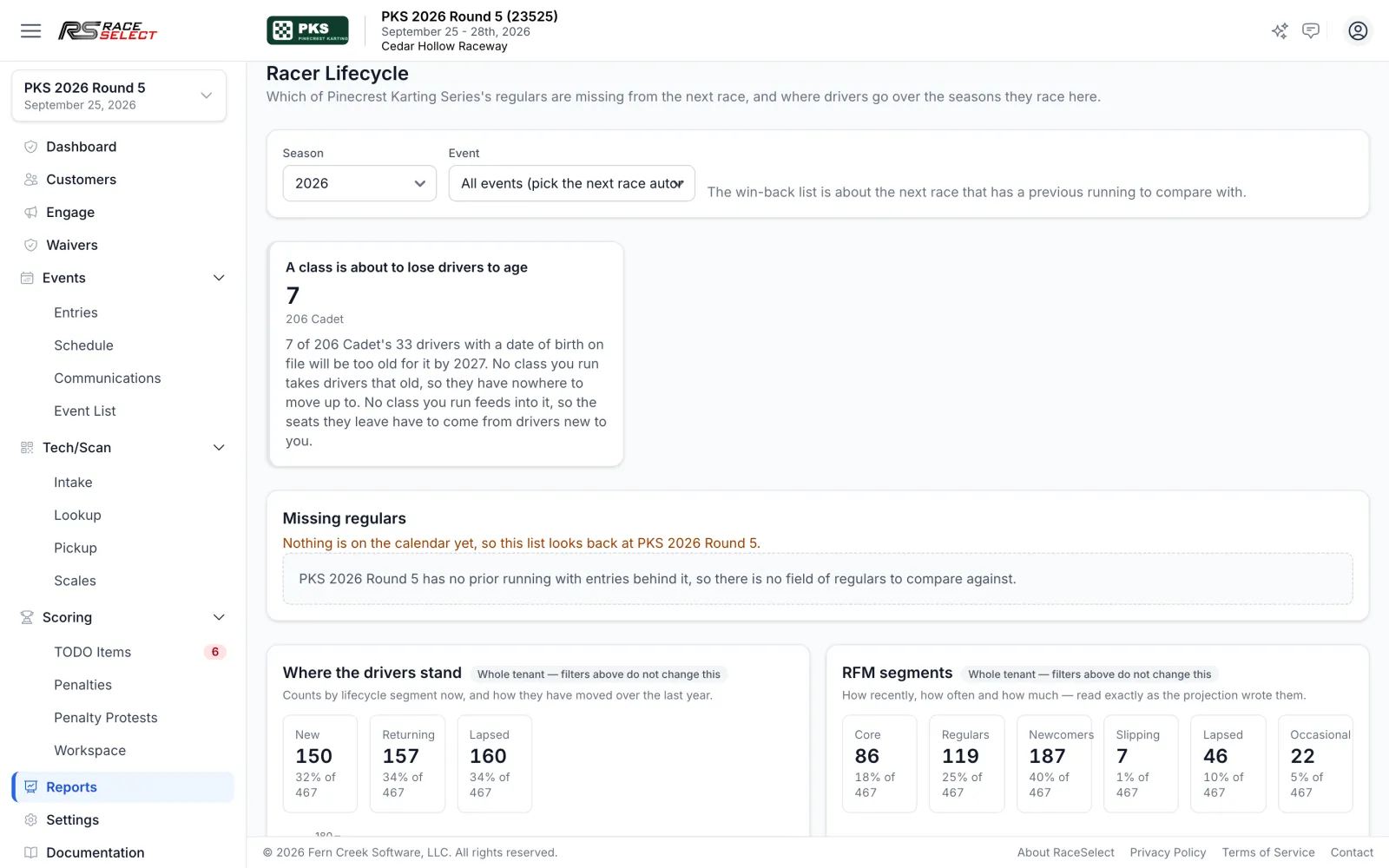
RaceSelect turns every entry into a season-long picture: how fast registration is filling compared with the event it should be pacing against, who came back, who is slipping away, and which classes are about to lose drivers to age.
-
Registration pace
Track the field against a comparable event, with a projected final count.
-
Returning-driver rate
See who came back, who is new, and which event is the best way into your series.
-
Win-back lists
Find regulars missing from the next race and save them as an email audience.
-
Class health and demand
See fill rates, aging-out alerts, and demand by class before you set next season's schedule.
-
Travel and reach
See how far your field drives and which states they come from.
-
Reports your treasurer will use
A searchable reports hub with a financial dashboard, product sales, sales-tax export, and CSV or Excel everywhere.
Payments
Money handled without the side spreadsheet
Payments, refunds, and credits are tied to the order and the racer, so a balance, a credit, or a refund shows up right on the racer's entry.
-
Refunds to card or credit
Refund a whole payment or a single line, back to the card or as account credit.
-
Drops with cancellation fees
Cancel an entry or a whole order with an automatic refund or credit, less a percentage or flat fee.
-
Store credit, one or many
Issue credit to one account or paste a list in bulk, scoped to any event, a product type, or everything.
-
Charge a card on file
Collect an outstanding balance from a stored card, with protection against double charges.
Your team
Built for the whole crew, not just the office
Volunteers get the screens they need and nothing they shouldn't touch.
-
Roles for every crew
Registration, finance, scoring, scanning, media, and administrator roles, with read-only access when you need it.
-
See what the racer sees
Owners can view the registration site as a customer to troubleshoot, with every session logged.
-
Help built in
Ask the docs from any page, and submit and track feedback without leaving the admin.
-
Teams, chassis, and engine builders
Keep your series' team, chassis, and engine-builder lists so racers pick from clean data.
For your racers
The side your racers see is just as finished
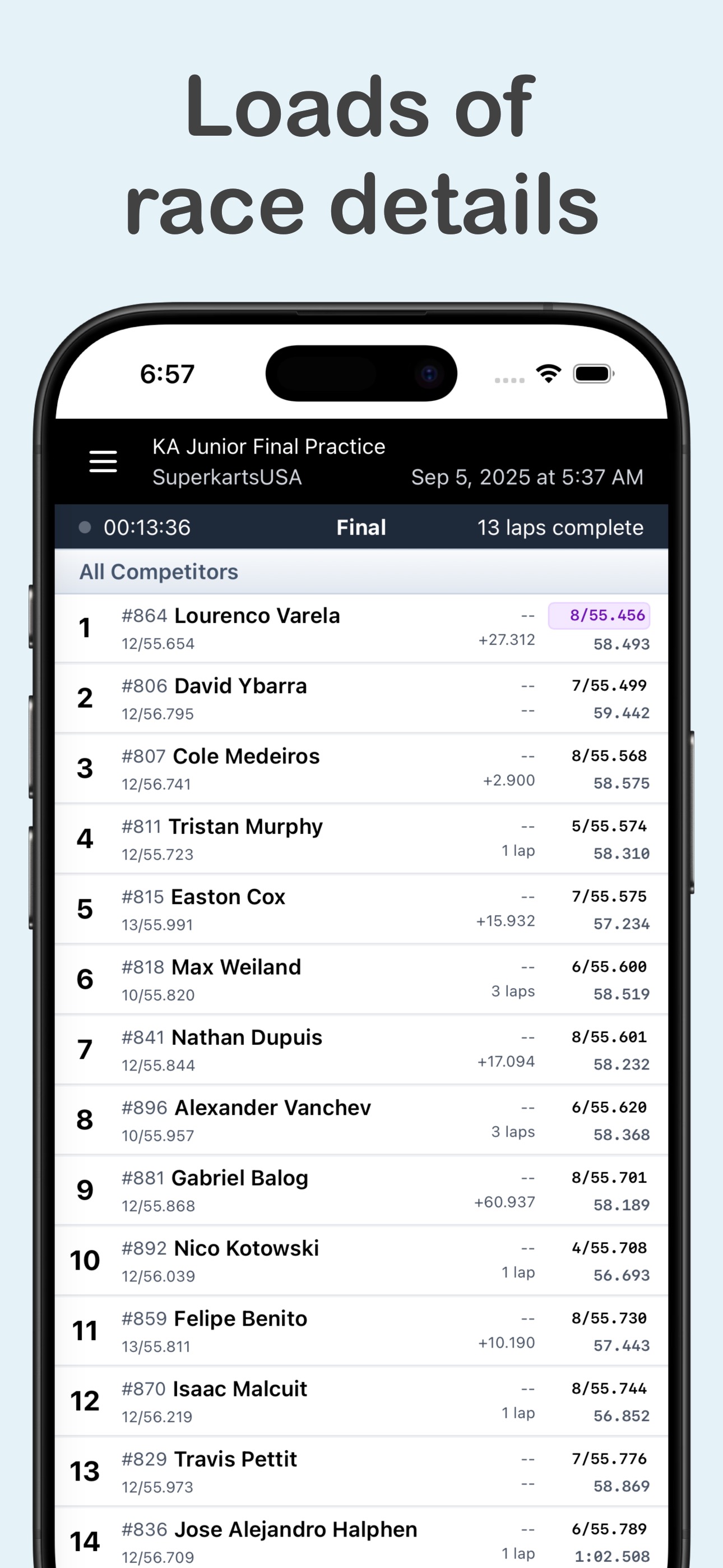
Racers keep one account across every series on RaceSelect. They register drivers, crew, and family in one checkout, and they never retype their profile. On race weekend, the RaceSelect LIVE app puts the schedule, live timing, pit assignments, and announcements in their pocket.


Getting started
Start with one event
You don't have to move a whole season at once. We set up your classes, products, waivers, and pit map with you, run a pilot event, and you copy it forward from there.
-
1 · Intro call
We walk through your format, classes, and where race weekend loses the most time today.
-
2 · Pilot event
We build your first event together and are on hand for registration and race weekend.
-
3 · Copy it forward
Each new round starts as a copy of the last one, with dates already shifted.
See it with your own event
Pick a time for a short call and we will show you how RaceSelect maps to your classes, your paddock, and your race weekend.